Hard Drive replacement - Action Plan - SA5212M5
1.Part Info
|
Catalog |
Details |
|
PN#/FRU# |
SSDPE2KX040T8 |
|
DESC |
512b_U2D_SSDPE2KX040T8 |
|
QTY |
1 |
2.Basic Info
|
Item |
Details |
|
Downtime Required? |
NO |
|
Estimated Hours |
1H |
|
Tools Required-Hardware |
Screwdriver tool kit |
|
Tools Required-Software |
No |
|
Failed Part Catalog |
NVMe SSD |
|
Failed Part Location |
NVMe0n1 |
3.Action Plan:
|
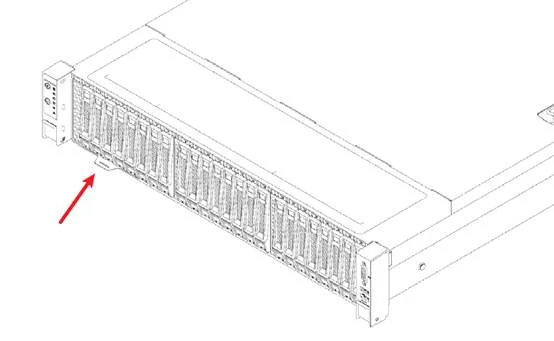
1. Confirm that the equipment serial number is for this maintenance equipment.
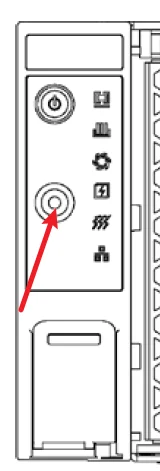
2.Mark the equipment to be maintained and press the positioning indicator button.
3.Observe if there are any abnormal indicator lights on the server hard disk location
4.If no abnormal indicator light is on, please ask the customer to turn on the indicator light for the hard drive that needs to be replaced Otherwise, the next step should not be taken
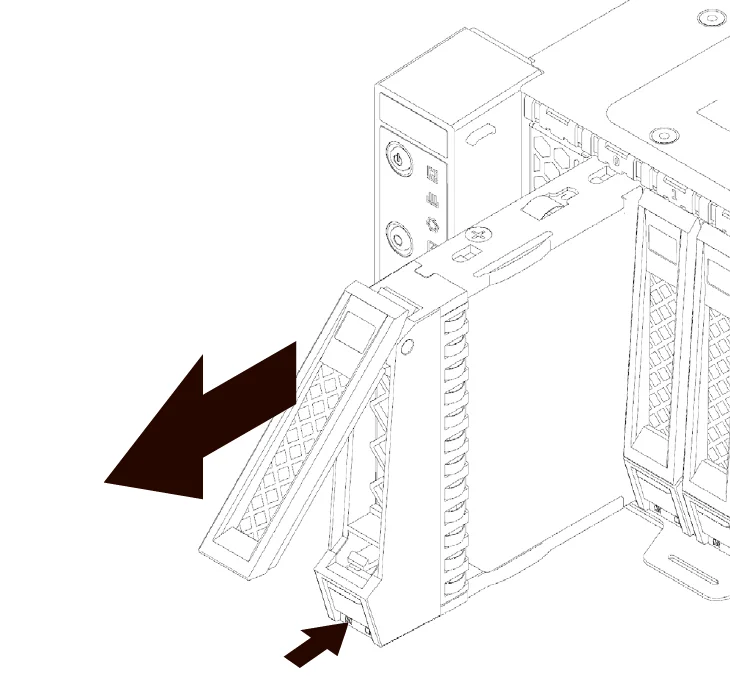
5.Remove the faulty hard drive from the server
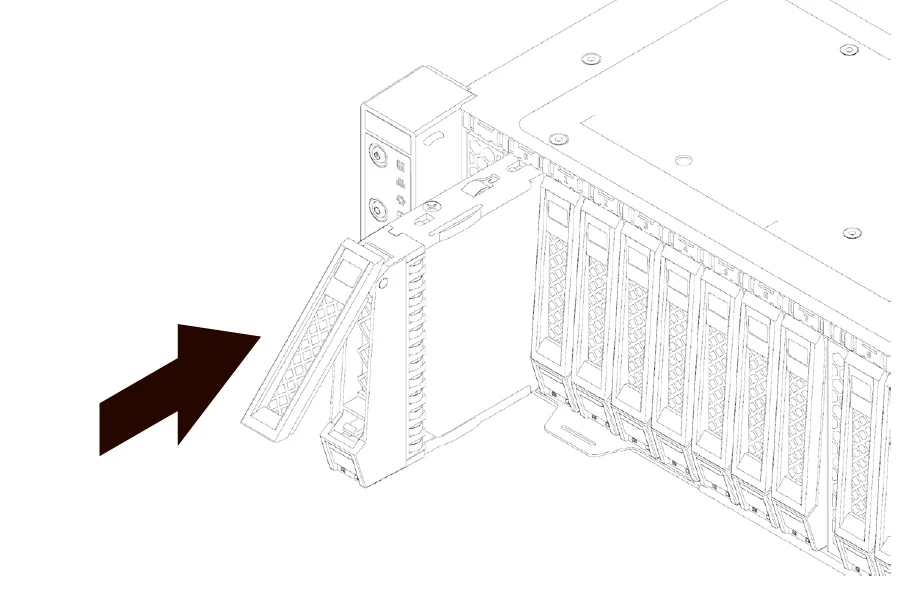
6.Install spare hard drives to the server If the spare hard drive is not equipped with a hard drive bay, please remove the bay of the faulty hard drive and install it onto the spare hard drive
|

4. Verification :
|
Observe the hard drive indicator light for any abnormalities and ask the customer to check
|
5. Reference Link/Doc:
|
N/A |
6. Failure Part Location:
|
|