Nimble storage log collection
Nimble存储日志收集
# login CLI with management ip.
Runbelow commands:
disk--list
ctrlr--list <===check controller name
ctrlr--info <ctrlname>
Or collect detail info with attached tool.
Log collection for Windows
1. Ensure that the log collection tool runs Windows 8 (Windows 2012) or later. Run PowerShell as an administrator, use the command $PSVersionTable to confirm powerShell version. Scripts need PowerShell 3.0 or higher.
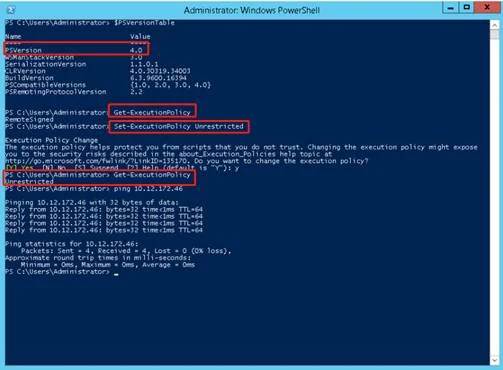
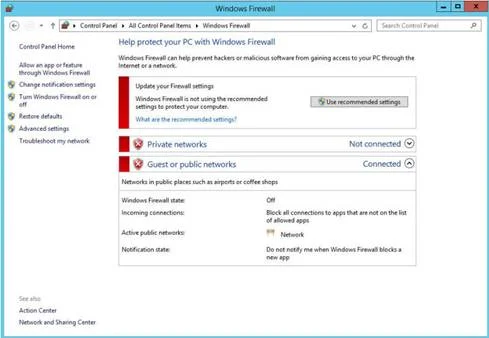
2. Disable the firewall on the Windows manager and ensure that the Windows manager communicates with Nimble storage management IP addresses properly.
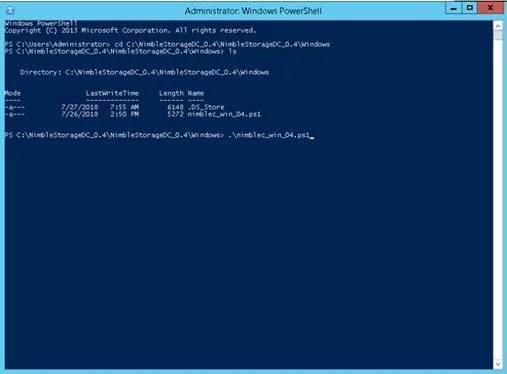
3.Decompress the script package, go to the script directory in Powershell, and run nimble_win_x.ps1 (X represents version, which is version 0.4 in this document)
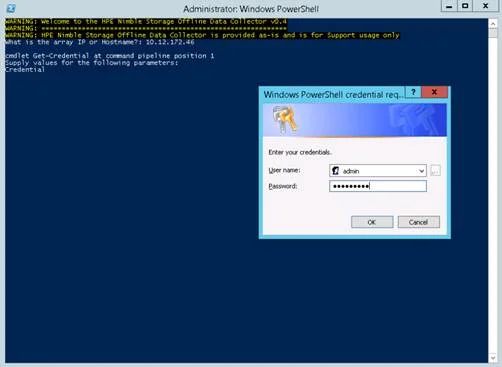
4.Then enter the Nimble storage management IP, administrator account and password, and click OK to start collecting data.
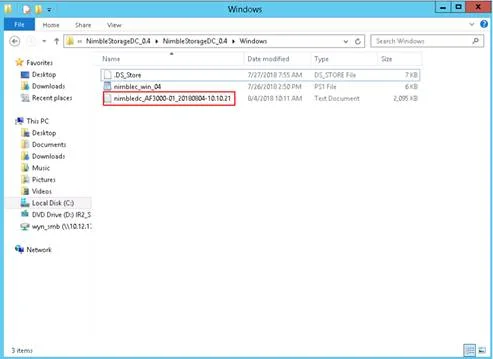
5. After data collection is complete, log files are generated in the directory where the script resides.
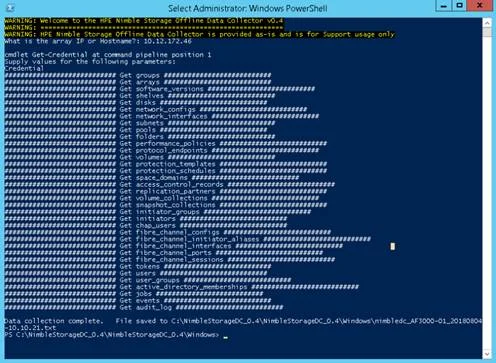
6. After finding the log, compress the log file and upload it.