EMC VMAX log collect guide V2
1) Collect HC log
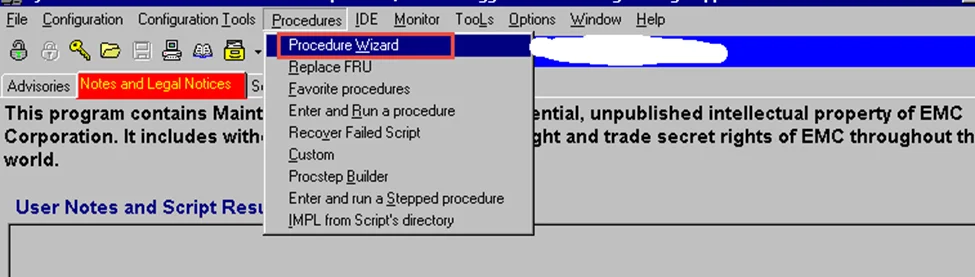
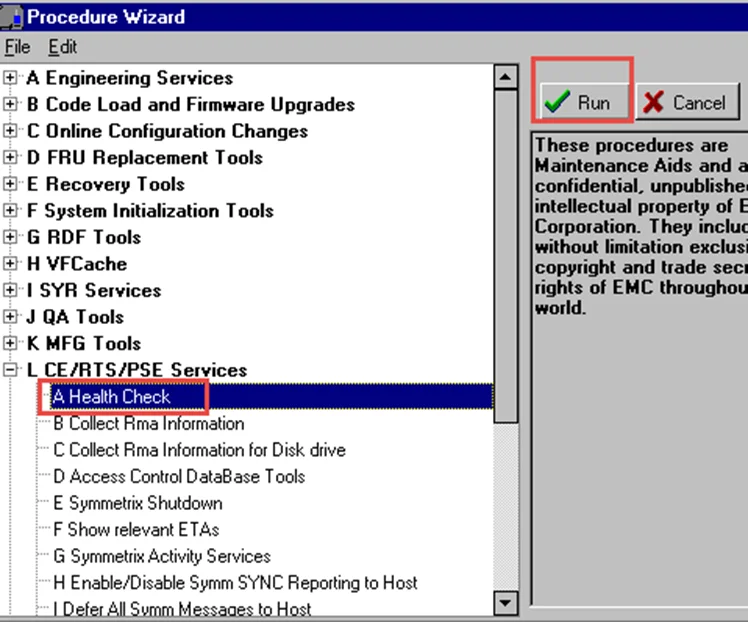
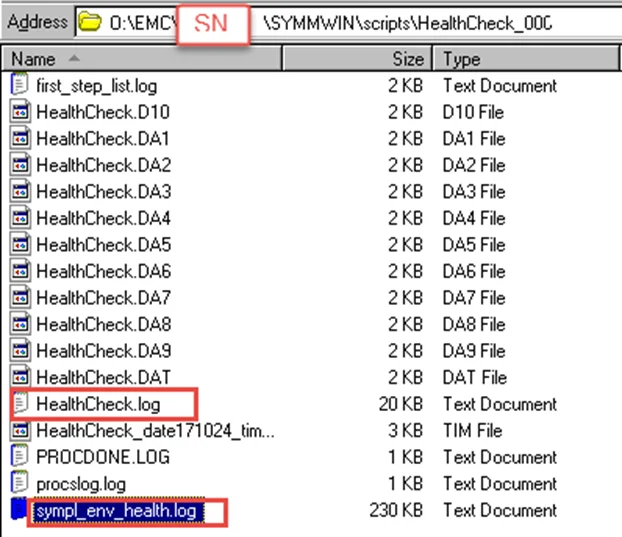
Get these 2 log files for VMAX at script folder
For DMX please collect log under o:\EMC\<SN>\logs\symmwin
Autopse.log
Globalsparing.log
Healthcheck.log
Healthcheck_env.log
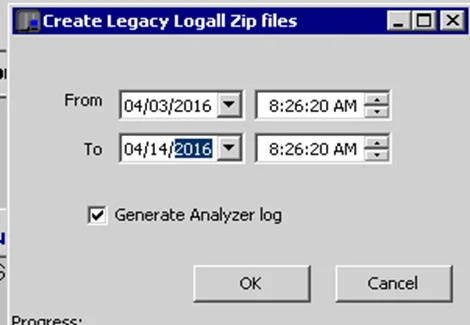
2) Collect logall file for 2 weeks,
logs will be collected under O:\EMC\<SN>\log_zip/xxxx.zip
Select one DA slice to run following command before collect logall (any DA slice will be fine)
VMAX Inline
A7,INVD(keep press enter until you see the yellow Done)
9B,A
8D,,,CTBL,TSPT
E7,SYRN,,,54
E7,D,A
A7,FE,SPAR
A7,FE,SPAR,NR
A7, phco (keep press enter until you see the yellow Done)
A7,NRDY (keep press enter until you see the yellow Done)

DMX Inline
A7,INVD (keep press enter until you see the yellow Done)
A7,NRRD (keep press enter until you see the yellow Done)
A7,PHCO (keep press enter until you see the yellow Done)
A7,Hots (keep press enter until you see the yellow Done)
8D,,,SPST
8D,,,SPRQ
A7,WIHS
9B,A
E7,D,A
E7,SYRN,,,54
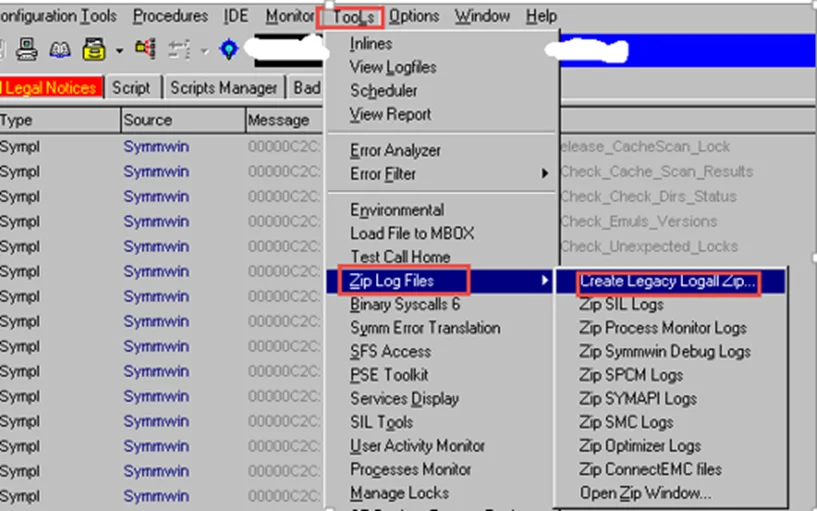
Please make sure to collect 2 weeks log and include the date which you ran inline command.
3) Basic Hardware info
VMAX Part
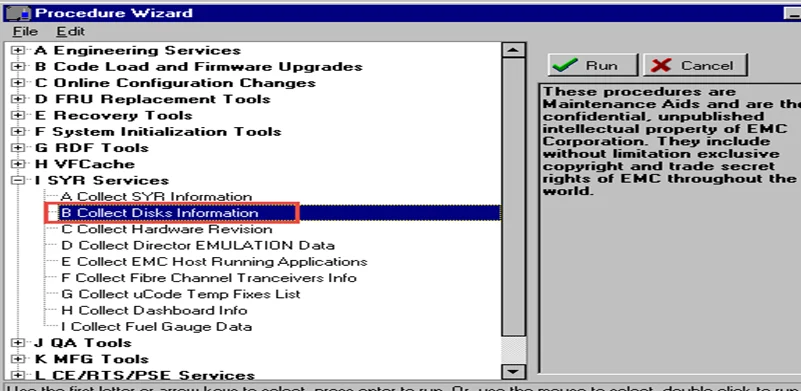
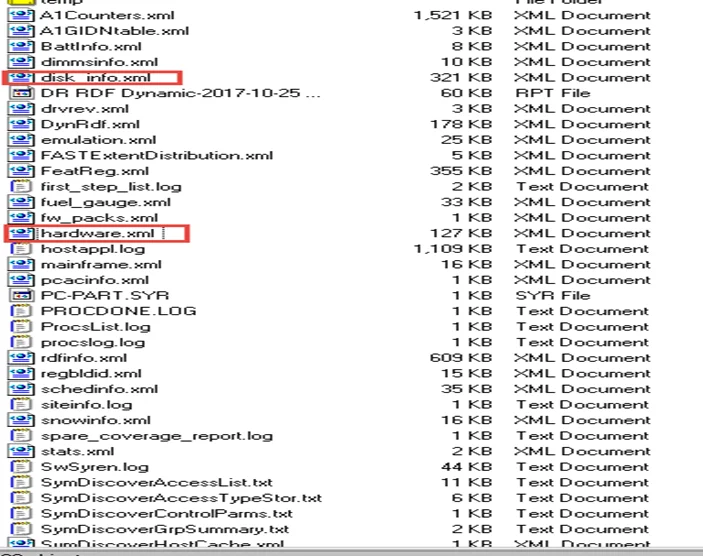
Under o:\EMC\<SN>\symmwin\script\Syrinfo_xxx a lot of useful info will be collected, pls zip this folder
DMX Part
1) Run Symmwin-Procedure wizard-SYR services- Collect disk info
Log located on o:\EMC\<SN>\logs\symmwin\disk_info.log
2) Run Symmwin-Procedure wizard-SYR services- Collect hardware info
Log located on o:\EMC\<SN>\logs\symmwin\hardware.log